Wacom
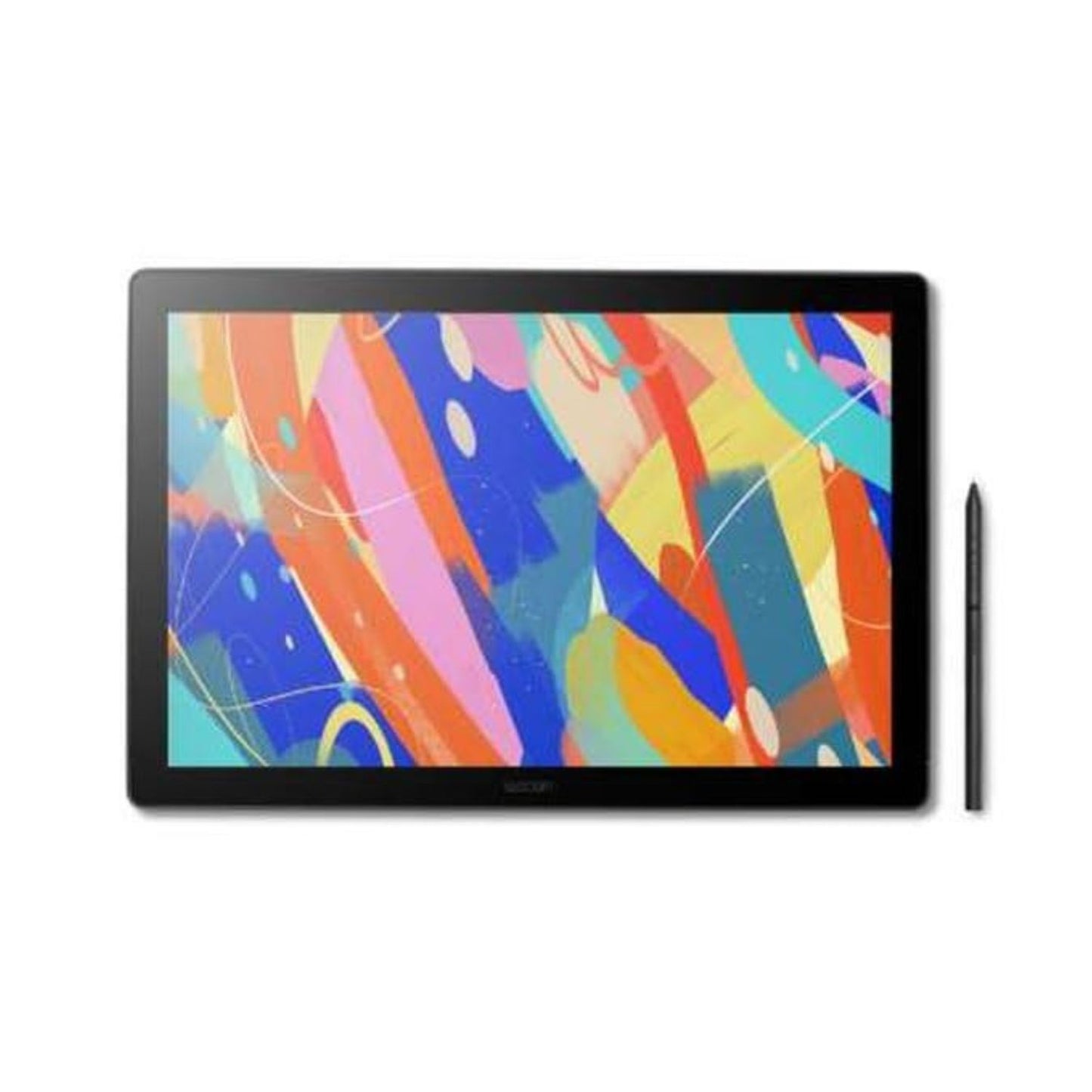
Wacom Cintiq 16 DTK168K4C Pen Display – 16" 2.5K IPS Screen Tablet
Out of stock
Product Description
Wacom Cintiq 16 DTK168K4C Pen Display – 16" 2.5K IPS Screen Tablet
Professional 16-Inch 2.5K Pen Display for Digital Artists
The Wacom Cintiq 16 DTK168K4C Pen Display is a professional creative pen display designed for digital artists, illustrators, graphic designers, animators, photographers, and creative professionals who want a natural and precise drawing experience directly on the screen. Featuring a 16-inch 2.5K IPS display, high-resolution image quality, accurate colour reproduction, and Wacom's pressure-sensitive pen technology, the Cintiq 16 provides the tools needed to bring creative ideas to life with greater control and precision.
Unlike a traditional graphics tablet that requires users to draw on one surface while looking at another screen, the Cintiq 16 lets you draw directly on the display. This creates a more intuitive workflow that closely resembles working with traditional pencils, pens, brushes, and other artistic tools. Whether you're creating detailed illustrations, editing photographs, designing characters, developing concepts, or producing professional artwork, the Cintiq 16 offers a comfortable workspace for both beginners and experienced creators.
16-Inch 2.5K IPS Display for Detailed Creative Work
The 16-inch 2.5K IPS display provides a spacious digital canvas with detailed image reproduction, making it easier to work on intricate illustrations, fine linework, photo retouching, and graphic design projects. The higher resolution allows more content and detail to be displayed on screen while maintaining sharpness across the workspace.
IPS display technology provides wide viewing angles and consistent image quality, which is particularly useful when working on colour-sensitive creative projects. The large 16-inch format also offers a comfortable balance between portability and workspace, giving artists more room to create without requiring the footprint of a much larger pen display.
Natural Pen-on-Screen Drawing Experience
At the heart of the Cintiq 16 is Wacom's pressure-sensitive pen technology, designed to provide a natural and responsive drawing experience. The pen detects variations in pressure, allowing artists to control line thickness, opacity, brush size, and other supported settings naturally within compatible creative applications.
The Wacom Pro Pen 3 provides precise control without requiring a battery or charging between drawing sessions. Its ergonomic design is intended for extended creative use, while multiple customizable pen controls can help artists access frequently used commands without constantly reaching for the keyboard.
For illustrators and digital painters, the combination of pressure sensitivity and accurate pen tracking helps create expressive strokes that feel significantly closer to traditional drawing.
Accurate Colour for Professional Creative Work
Colour accuracy is essential for illustration, graphic design, photography, animation, and other visual workflows. The Cintiq 16's IPS display is designed to provide a detailed and consistent visual workspace, helping creators evaluate colours, gradients, shadows, and highlights while working.
The display's wide colour coverage makes it suitable for a range of professional creative applications, while the high resolution allows artists to inspect fine details and make precise adjustments. Whether you're retouching photographs, creating digital paintings, or developing graphics for print and digital media, the display provides a reliable canvas for detailed work.
Designed for Illustration, Animation & Graphic Design
The Cintiq 16 is built around the way creative professionals actually work. Drawing directly on the screen makes it particularly useful for digital illustration, concept art, character design, storyboarding, 2D animation, comics, photo editing, graphic design, and visual development.
Artists can use familiar gestures and pen movements to sketch, paint, shade, erase, and refine their work. This direct interaction can make complex creative tasks feel more intuitive, particularly for artists transitioning from traditional media to digital workflows.
It is also well suited to professional software such as Adobe Photoshop, Illustrator, After Effects, Corel applications, Clip Studio Paint, and other compatible creative programs.
Comfortable Workspace for Long Creative Sessions
A professional pen display needs to remain comfortable during extended drawing sessions, and the Cintiq 16 is designed with ergonomics in mind. Its spacious 16-inch screen provides sufficient room for detailed work without requiring constant zooming or repositioning.
The display can be used with compatible stands and workspace setups to achieve a comfortable drawing angle. The pen's ergonomic design also supports longer creative sessions, helping artists maintain precise control while working on complex projects.
For studios, classrooms, home offices, and professional creative environments, the Cintiq 16 offers a practical combination of screen size, resolution, and drawing functionality.
Easy Integration into Your Creative Workflow
The Cintiq 16 is designed to work as part of a computer-based creative workstation. Once connected to a compatible computer, it provides an interactive display and pen input surface that can be used with supported creative software.
This makes it an excellent addition to existing desktop or laptop setups for creators who want to move beyond a conventional mouse and keyboard workflow. Artists can continue using their preferred software while gaining the additional precision and control of direct pen-on-screen interaction.
Ideal for Professionals, Students & Creative Beginners
While the Cintiq 16 is capable enough for professional production, its direct drawing experience also makes it an appealing choice for students and artists developing their digital skills. The ability to see the cursor directly beneath the pen can make the transition from traditional drawing to digital art more comfortable.
For professional creators, the larger high-resolution display provides a dedicated workspace for demanding projects. For students and emerging artists, it provides a platform that can grow with their skills as they progress into more advanced illustration, animation, design, and photography workflows.
Perfect for Digital Art & Professional Creative Production
The Wacom Cintiq 16 DTK168K4C Pen Display combines a detailed 16-inch 2.5K IPS screen, responsive pressure-sensitive pen input, accurate visual reproduction, and a direct pen-on-screen workflow into a professional creative tool. It provides artists with a more natural way to interact with digital content while offering the screen size and precision required for detailed creative work.
Whether you're an illustrator creating digital paintings, an animator developing characters, a graphic designer building visual assets, a photographer retouching images, or a student learning digital art, the Cintiq 16 provides a dedicated canvas designed to make creative work more intuitive and precise.
FAQs - Wacom Cintiq 16 DTK168K4C Pen Display – 16" 2.5K IPS Screen Tablet
1. What is the Wacom Cintiq 16 used for?
The Wacom Cintiq 16 is a pen display designed for digital illustration, graphic design, animation, photography, concept art, comics, storyboarding, and other creative workflows.
2. What size display does the Cintiq 16 have?
It features a 16-inch 2.5K IPS display, providing a spacious and detailed workspace for creative applications.
3. Can I draw directly on the Cintiq 16 screen?
Yes. The Cintiq is designed specifically for direct pen-on-screen drawing, allowing you to interact with artwork naturally.
4. Does the Cintiq 16 support pressure sensitivity?
Yes. Its Wacom pressure-sensitive pen detects variations in pressure, allowing compatible applications to respond naturally to drawing and painting strokes.
5. Which professionals can use the Wacom Cintiq 16?
It is suitable for illustrators, animators, graphic designers, concept artists, photographers, comic artists, storyboard artists, and other creative professionals.
6. Can the Cintiq 16 be used for photo editing?
Yes. The pen display is well suited to precision-based photo editing and retouching in compatible applications such as Adobe Photoshop and other professional creative software.
7. Is the Wacom Cintiq 16 suitable for beginners?
Yes. Its direct pen-on-screen workflow can make digital drawing more intuitive for beginners while providing enough precision and functionality for professional users.
8. Can I use the Cintiq 16 with creative software?
Yes. It is designed to work with a wide range of compatible creative applications, including illustration, photography, animation, and graphic design software.
9. Is the 2.5K resolution useful for digital artists?
Yes. The higher resolution provides a sharper workspace and makes it easier to view fine details while illustrating, retouching photographs, designing graphics, and working on detailed artwork.
10. Who should buy the Wacom Cintiq 16 DTK168K4C?
It is best suited to creators who want a professional pen display with a large 16-inch 2.5K screen and direct pen-on-screen workflow, including digital artists, designers, animators, photographers, students, and creative professionals.
Shipping and Delivery
Shipping & Delivery
We aim to deliver your order quickly and safely across India.
- Orders are usually processed within 24–48 hours (excluding Sundays & holidays)
- Once shipped, delivery typically takes 2–7 business days, depending on your location
- You will receive a tracking link via SMS/email once your order is dispatched
Shipping Charges
- Shipping charges (if applicable) will be displayed at checkout
- Free shipping may be available on select products or order values
Order Tracking
- Track your order anytime using the link shared after dispatch
- For any assistance, feel free to contact our support team
Important Notes
- Delivery timelines may vary due to courier delays, weather, or unforeseen circumstances
- Ensure your address and contact details are accurate to avoid delays
- We currently ship only within India
Return
Easy 7-Day Support
We offer 7-day support from the date of delivery in case of:
- Damaged product on arrival
- Manufacturing defects
- Incorrect item received
Conditions for Return/Replacement
To be eligible:
- Product must be unused and in original condition
- Must include original packaging, accessories, and invoice
- Issue must be reported within 7 days of delivery
Non-Returnable Items
- Used or physically damaged products
- Products without original packaging
- Items damaged due to misuse
How to Request
- Contact us via email or phone with your order ID and issue details
- Share images/videos if required for faster resolution
- Our team will guide you through the next steps
Refunds (if applicable)
- Refunds are processed after product inspection
- Amount will be credited to the original payment method within 5–7 business days
📸 Trusted by Creators ✓ No Grey Market Stock
📸 Trusted by Creators ✓ No Grey Market Stock
📸 Trusted by Creators ✓ No Grey Market Stock
📸 Trusted by Creators ✓ No Grey Market Stock
📸 Trusted by Creators ✓ No Grey Market Stock
📸 Trusted by Creators ✓ No Grey Market Stock
📸 Trusted by Creators ✓ No Grey Market Stock
📸 Trusted by Creators ✓ No Grey Market Stock
📸 Trusted by Creators ✓ No Grey Market Stock
📸 Trusted by Creators ✓ No Grey Market Stock

🏆 Authentic Camera Gear Only 🚚 Reliable & Fast Shipping
🏆 Authentic Camera Gear Only 🚚 Reliable & Fast Shipping
🏆 Authentic Camera Gear Only 🚚 Reliable & Fast Shipping
🏆 Authentic Camera Gear Only 🚚 Reliable & Fast Shipping
🏆 Authentic Camera Gear Only 🚚 Reliable & Fast Shipping
🏆 Authentic Camera Gear Only 🚚 Reliable & Fast Shipping
🏆 Authentic Camera Gear Only 🚚 Reliable & Fast Shipping
🏆 Authentic Camera Gear Only 🚚 Reliable & Fast Shipping
🏆 Authentic Camera Gear Only 🚚 Reliable & Fast Shipping
🏆 Authentic Camera Gear Only 🚚 Reliable & Fast Shipping
Payment method